ChatGPT Photo Editing Prompts: 10 Image Ideas for Portraits and Profiles

Profile pictures, illustration styles, clean-ups and creative portraits using ChatGPT's image tools.

Illustrative cover artwork for ChatGPT Photo Editing Prompts: 10 Image Ideas for Portraits and Profiles

ChatGPT can create and edit images from your uploads when image generation is available on your account. It is especially good at following detailed instructions and stylised looks such as illustrations.

These prompts cover practical edits and creative styles.

In this article
  1. Using these prompts in ChatGPT
  2. How to use these prompts
  3. The 10 prompts
  4. Photography tips
  5. Frequently asked questions

Using these prompts in ChatGPT

Open ChatGPT, start a new chat, attach your photo, paste the prompt and send. You can then reply with changes ('make the background darker', 'keep the face the same, change only the shirt').

Image features and limits vary by plan and change over time; check OpenAI's help pages if you don't see image options.

How to use these prompts

  1. Choose a sharp, well-lit photo where your face is clearly visible (front-facing works best).
  2. Tap Copy prompt — or tap ChatGPT, Gemini or Grok to copy the prompt and open that tool in one step.
  3. In the AI tool, start a new chat, upload your photo, then paste the prompt (long-press → Paste on mobile, Ctrl/⌘+V on desktop) and send.
  4. Not quite right? Reply with a short correction, e.g. “keep my face exactly the same and make the background darker”.

AfroPrompt does not generate images and never sees your photos — everything happens in the AI tool you choose. Image features, limits and availability differ by tool, plan and country, and change often. Always check that tool's own terms and privacy settings before uploading photos of yourself or others.

The 10 prompts

Illustrative placeholder artwork for the LinkedIn Profile Picture promptSample soon
#1

LinkedIn Profile Picture

A clean, approachable professional profile photo.

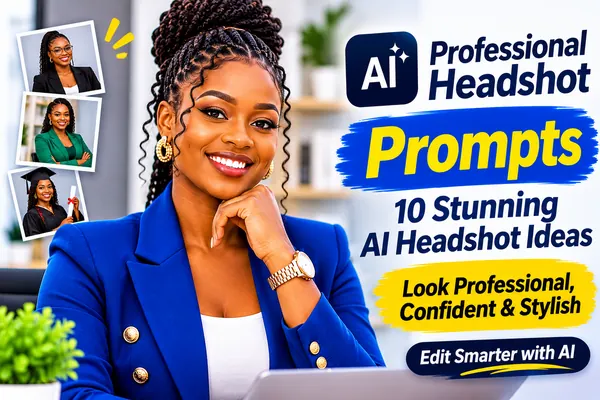
Turn this photo into a professional LinkedIn profile picture. Keep the face identical. Dress the person in a smart blazer over a plain top, place them against a softly blurred light office background, use flattering soft front lighting, and crop as a centred head-and-shoulders square with a friendly approachable expression. Photorealistic, high resolution, natural skin texture, realistic fabric and lighting detail, no text, logos or watermarks.

Copy & open in:
Illustrative placeholder artwork for the Hand-Drawn Illustration promptSample soon
#2

Hand-Drawn Illustration

A warm, editorial illustration of you.

Redraw this photo as a warm editorial illustration with clean ink lines and soft watercolour fills, keeping the person clearly recognisable — same face shape, hairstyle and skin tone. Simple cream background with a few loose brush strokes. No text. High resolution, clean detail, no text, logos or watermarks.

Copy & open in:

Illustrative placeholder artwork for the Vibrant Pop Art Portrait promptSample soon
#3

Vibrant Pop Art Portrait

A bold, graphic pop-art style.

Transform the portrait into bold pop-art style: flat bright colours, strong black outlines and halftone dot shading, with a solid yellow background. Keep the person's face recognisable and their skin tone accurate. No speech bubbles or text. High resolution, clean detail, no text, logos or watermarks.

Copy & open in:

Illustrative placeholder artwork for the Cosy Reading Corner promptSample soon
#4

Cosy Reading Corner

A lifestyle scene at home.

Keep the person's face and hair unchanged. Place them curled up in an armchair in a cosy reading corner with bookshelves, a warm lamp and a knitted throw, holding an open book. Warm evening light, eye-level medium shot, relaxed peaceful expression. Photorealistic, high resolution, natural skin texture, realistic fabric and lighting detail, no text, logos or watermarks.

Copy & open in:
Illustrative placeholder artwork for the Clean Product-Style Headshot promptSample soon
#5

Clean Product-Style Headshot

A minimal headshot for websites and speaker bios.

Create a minimal headshot of the person on a solid off-white background, wearing a plain dark crew-neck top, lit with soft even light and a subtle shadow. Keep the face identical with natural skin texture. Head-and-shoulders, eye-level, calm confident expression. Photorealistic, high resolution, natural skin texture, realistic fabric and lighting detail, no text, logos or watermarks.

Copy & open in:
Illustrative placeholder artwork for the Fantasy Book Cover Hero promptSample soon
#6

Fantasy Book Cover Hero

An epic fantasy character portrait.

Keep the face recognisable and create an epic fantasy portrait: the person wears a detailed leather-and-linen adventurer's outfit with a long cloak, standing on a cliff above a misty valley at sunrise. Dramatic warm rim light, painterly realistic style, heroic composition, no text. High resolution, clean detail, no text, logos or watermarks.

Copy & open in:

Illustrative placeholder artwork for the Clay Figurine Style promptSample soon
#7

Clay Figurine Style

A cute 3D clay-figurine version of you.

Create a cute 3D clay-figurine version of the person, with a slightly enlarged head and soft rounded forms, recognisable face, same hairstyle, skin tone and outfit colours. Place the figurine on a wooden desk with soft studio light and a blurred background. High resolution, clean detail, no text, logos or watermarks.

Copy & open in:

Illustrative placeholder artwork for the Passport-Style Photo Cleanup promptSample soon
#8

Passport-Style Photo Cleanup

Plain background and even light (check official rules).

Keep the face, expression and features exactly unchanged. Replace the background with plain off-white, even out the lighting so there are no shadows on the face or background, and centre the head with shoulders visible. Do not retouch or alter facial features. Photorealistic, high resolution, natural skin texture, realistic fabric and lighting detail, no text, logos or watermarks.

Copy & open in:
Illustrative placeholder artwork for the Watercolour Family Keepsake promptSample soon
#9

Watercolour Family Keepsake

A soft painted keepsake from a family photo.

Use the uploaded photo as the reference for everyone in it. Keep every face, skin tone and the number of people exactly the same. Turn this family photo into a soft watercolour painting, keeping every person recognisable with their real skin tones and hairstyles. Gentle pastel washes, light pencil outlines, a softly painted garden background. No text. High resolution, clean detail, no text, logos or watermarks.

Copy & open in:

Illustrative placeholder artwork for the Before-and-After Outfit Split promptSample soon
#10

Before-and-After Outfit Split

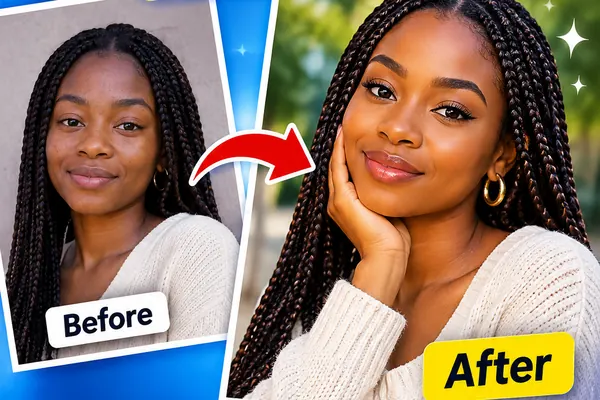
Show two outfits side by side.

Use the uploaded photo as the reference for the person's face and identity. Keep their facial features, skin tone, face shape, hairline and expression natural and unchanged. Create a two-panel side-by-side image of the same person with the same face and pose: on the left in casual weekend clothes, on the right in a sharp evening outfit. Same neutral background and lighting in both panels. No text. Photorealistic, high resolution, natural skin texture, realistic fabric and lighting detail, no text, logos or watermarks.

Copy & open in:
Photography tips for better results

  • ChatGPT follows long, specific instructions well — be detailed.
  • Say 'no text' to stop it adding captions or lettering.
  • For official documents, always check the issuing authority's photo rules; many do not accept AI-edited images.
  • Reply with small corrections instead of rewriting the whole prompt.

Frequently asked questions

Can I use an AI-edited photo for my passport?

Usually not. Most passport authorities require an unaltered photo. Use the cleanup prompt only for informal use and always follow official rules.

Which ChatGPT plan supports image editing?

Plans and features change regularly. Check OpenAI's official help centre for current availability.

Do these prompts work in Gemini?

Yes — they are tool-neutral and work in any AI app that edits images.

Related prompt collections